Server Maintenance Week
Last updated: 1 month, 2 weeks ago
Intro & Catchup
I try to do ALL my server maintenance during the times between semesters, and right now I am between summer and fall semesters. I started this maintenance last week, so let's catch up on what I have been doing.
My server is running Nixos with a gnome desktop. I use gnome because I like it the best. KDE is too much for me, LXE is too little, Cinnamon is too windows-y, and tiling managers are too much mental overhead. I use Nixos on my server for the "Oh shit" and rebuild moments. I once blew out my main OS drive on my server and within half hour of reaching that conclusion, I was back up and running with all my web services configured and working. Having the entire setup in configuration files makes a rebuild turn into an absolute breeze. If I had been on a non declarative system, that would have taken me days to get all of that set back up.
My backup system is:
- One OS disk 240gb SSD
- One Data Disk 480gb SSD
- One Always on Backup disk 2TB SSD
- Two Removable Backup disks 2TB HDD
Updates
I did all of my Nixos, which was a lot because I had to do an upgrade from 25.11 to 26.05. If you don't know how to do this, it's as simple as:
sudo nix-channel --add https://channels.nixos.org/nixos-26.05 nixos
sudo nixos-rebuild boot --upgrade
Reboot
Once Rebooted check for normal updates (just in case):
sudo nix-channel --update
sudo nixos-rebuild boot
Reboot
I prefer the boot flag as opposed to the switch flag because personal experience dictates to me that you should always reboot after updates or upgrades.
Now, it should have been that easy. But it wasn't. Somewhere along the line, the server had filled up my OS disk; I couldn't complete the updates. Using (NCDU)[https://dev.yorhel.nl/ncdu] I was able to locate the culprit as being my Nextcloud Trash can; about 200GBs. Once I got that cleared, I was able to finish my updates.
Backups
I normally do my backups first, but this time I didn't because one of my drives is being sluggish and suspicious. I use (FreeFileSync)[https://freefilesync.org/] to do my backups. I know there are better solutions, but I know FFS and I prefer a GUI when it comes to doing backups because it makes me feel safer. I worry so much about using terminal solutions and deleting my data by accident.
What I do is I sync all operating discs to the Always On back up first; get everything centralized. Then I sync that disc to my two Removable discs. That way I have triplicated backups and two of them are separated from my computer.
This went well until I tried to sync the second Removable disc. Its been hung for days now and anything I do in the OS that relates to accessing the discs, hangs up for so long.
I think that brings us to today
Solving the Backups
I currently have all my backups done, except the second replication, and I can not access the drive. I think best the case scenario is to clean the drive and try to resync.
I cancel out of the frozen back up, and it crashes like a drunk driver. I try to disconnect/reconnect the disc in the Disks app, but that also hangs and crashes. Then I try to restart the server to try and get the disk release. Then the server hung, but it worked itself out and finally rebooted... to a system emergency terminal. This doesn't scare me as much as it would on another system, I get this everytime I boot my server with the disks still connected. I logged in and did shutdown now so that I could take out backup disks and boot, but that also hung.
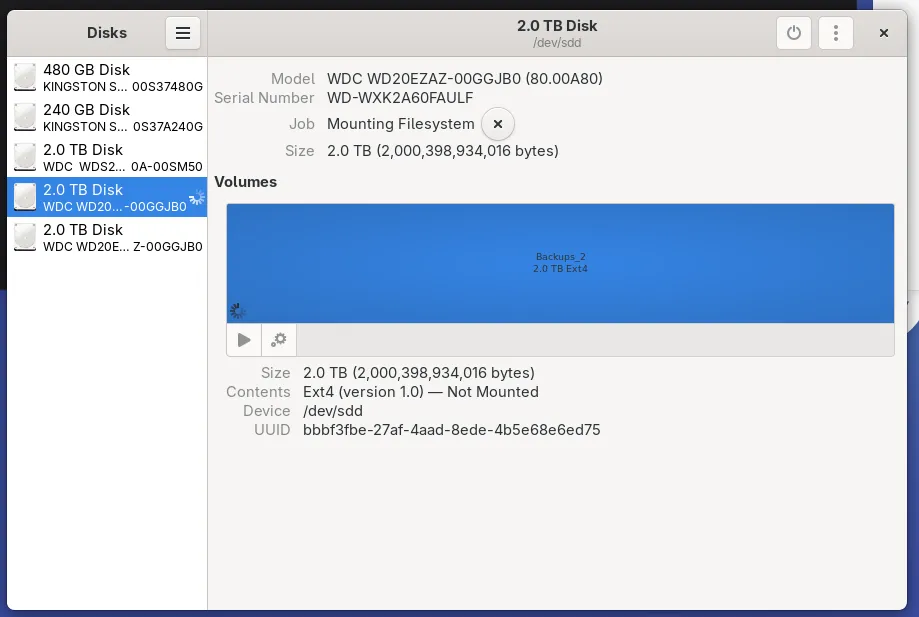
Figure 1: Disks frozen trying to remount
Eventually the server did shut down and I was able to remove the two backup disks. Once back in OS, I reconnected the drive and formatted the misbehaving disk. The format took 24ish hours; I did a full erasure just in case. The backups took 12ish hours, and completed successfully! I was very relieved that that worked out, I can not afford a new drive right now.
Other Things I did today
Extensions
In all of my Gnome setups, I normally have "Status Tray" and "Tiling Shell" extensions installed. Status tray shows me the apps that are running and Tiling Shell allows me to drag and drop windows into the corners of the screen. In troubleshooting the discs, I realized I had not installed those extensions on the server.
Nixos handles gnome extensions a bit differently than other OS's, and I think it is better. Other OS's require an install of ChromeGnomeShell or whatever its called, then install the browser extension, and then install the OS extensions from the website. Nixos on the other hand, you just add the extension to the configuration file like any other app and it works.
First, head over to the (NixOS Packages)[https://search.nixos.org/packages] website, and search for your extensions. I added to the /etc/nixos/configuration:
gnomeExtensions.status-tray
gnomeExtensions.tiling-shell
And then:
sudo nixos-rebuild switch
Afterwards, I had to go into the Extensions app, Enable Extensions, and enable each extension that I wanted on.
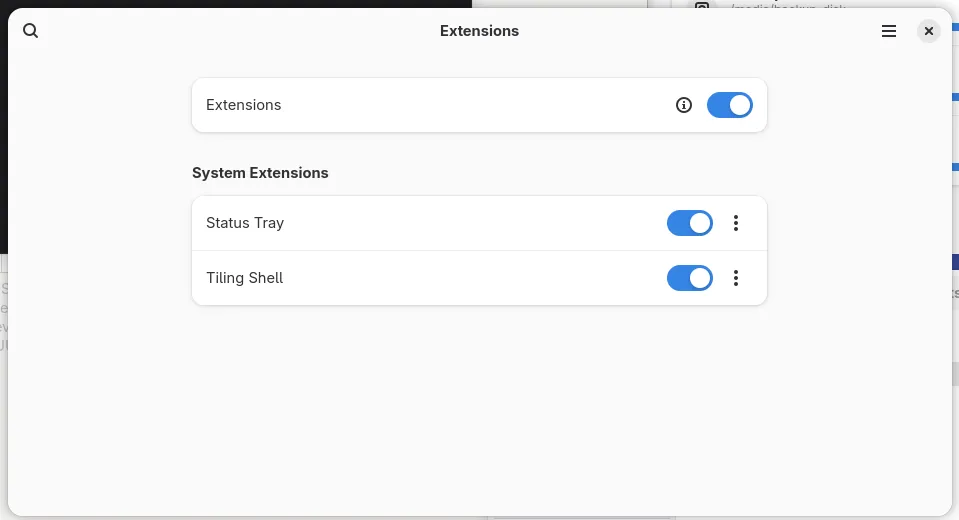
Figure 2: Screen showing the Extensions app and the toggled on extensions
Scaling
After I installed the tiling extension and got my screen quartered, I noticed that everything was too damn big. I am used to using a 4k monitor at 100% scaling (everything is very small and I am probably burning out my eyes). So I went to do adjust my scaling in the settings. I figured I would start with 75% and see how that looked and felt.... OS scaling only goes down to 100% and that is the current setting. Off to google to see if there is anyway around that because I am sure that Linux can go down to 50% or further.
I was able to find this terminal command:
gsettings set org.gnome.mutter experimental-features "['scale-monitor-framebuffer']"
Which did not works as intended. This enabled fractional scaling, and not less than 100% scaling. Back to google.
Google says to use Gnome Tweaks to reduce font scaling as Fedora display manager limits scaling to 100% as the minimum scaling size. I added gnome-tweaks to my nixos config file and ran nixos-rebuild switch to install the gnome tweaks app. Once in the app, under Fonts, I reduced the "Scaling Factor" from 1 to 0.75. This isn't as good as display manager scaling but it does work and now my screen looks much better for what I am used to seeing on my daily driver desktop.
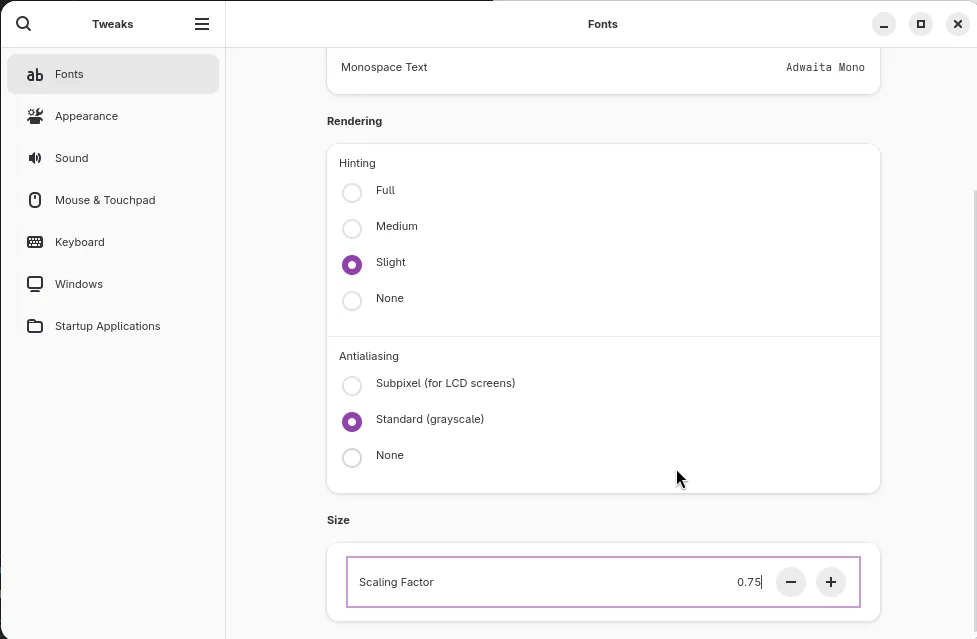
Figure 3: Image of Gnome tweaks showing font scaling screen.
Conclusion
Server is all updated now and all my backups are done. Got a little scary with the hard drive, but that gets to stay in production for a little longer. I would like to upgrade all 3 backup drives to 4 or 8 TB but that is too expensive for my blood right now. I hope something in here helps someone out there.
If you want me to elaborate on anything, please message me on Discord, Mastodon, X, or email me. I’ll be happy to go into more detail one-on-one or to create more posts.